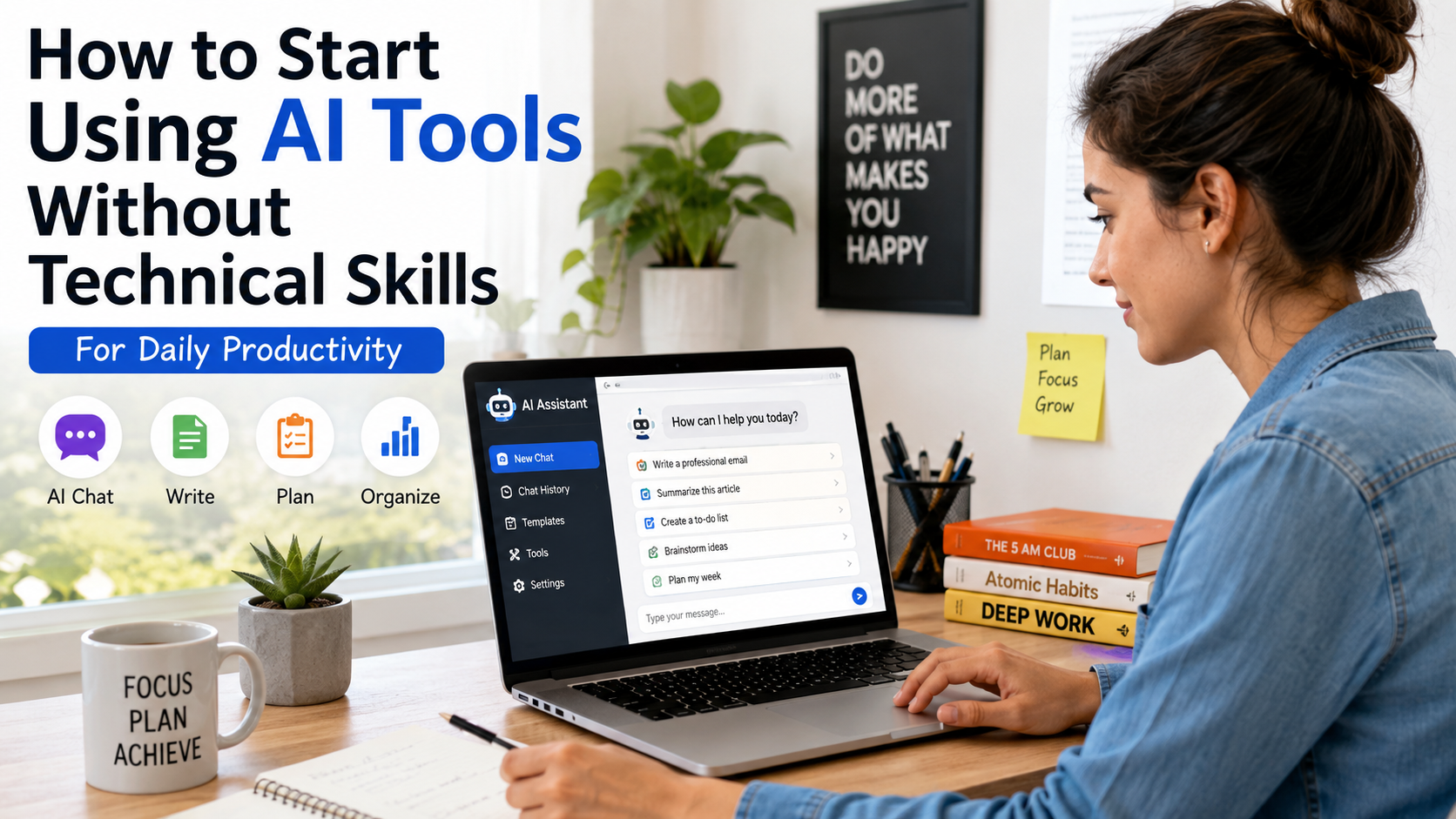
How to Start Using AI Tools Without Technical Skills

Artificial intelligence is everywhere these days. It’s writing emails, creating images, helping people plan vacations, organizing schedules, and even helping students study. Yet many people still think AI is only for programmers, engineers, or tech experts.
Here’s the good news: that’s simply not true.
If you can use Google, send an email, or browse social media, you already have enough skills to start using AI tools without technical skills.
Seriously.
You don’t need to learn coding. You don’t need a computer science degree. And you definitely don’t need to understand complicated algorithms.
In fact, some of the most successful AI users today are teachers, small business owners, freelancers, parents, students, and retirees.
This guide will show you exactly how to start using AI tools without technical skills, which tools are easiest for beginners, and how you can start saving time today.
Table of Contents
What Does It Mean to Use AI Without Technical Skills ?
Let’s clear something up first.
Using AI is very different from building AI.
Building AI requires technical knowledge, programming languages, machine learning expertise, and lots of training.
Using AI is more like using a calculator.
You don’t need to know how the calculator was built. You simply enter information and get useful results.
The same idea applies to modern AI tools.
You type a question, request, or instruction, and the AI helps you complete a task.
For example:
- Ask AI to draft an email
- Request a meal plan
- Generate social media captions
- Summarize long articles
- Create study notes
- Design marketing ideas
- Translate text
- Brainstorm business names
That’s it.
No coding required.
Read also :- Best AI Tools for Small Business Growth in 2026
Why More Americans Are Using AI Every Day
AI adoption in the United States has exploded over the last few years.
People are discovering that AI can save hours of work every week.
Instead of staring at a blank screen trying to write something, AI can generate a first draft in seconds.
Instead of manually researching dozens of websites, AI can summarize information quickly.
Many people initially worry they’ll “break something.”
You won’t.
Most AI tools today are designed specifically for regular users.
If you can type a sentence, you can use AI.
Benefits of Using AI Tools Without Technical Skills
Here are some of the biggest advantages.
1. Save Time
AI can automate repetitive tasks.
Examples include:
- Writing emails
- Creating summaries
- Drafting reports
- Organizing information
Many users save several hours each week.
2. Improve Productivity
You can accomplish more in less time.
Instead of spending 30 minutes brainstorming ideas, AI can generate dozens in seconds.
3. Reduce Stress
Sometimes starting a task is the hardest part.
AI helps eliminate that blank-page feeling.
4. Learn Faster
Students and professionals can use AI to explain concepts in simple language.
It’s like having a tutor available 24/7.
5. Boost Creativity
AI can help generate:
- Blog topics
- Business ideas
- Marketing campaigns
- Video concepts
- Social media content
Best AI Tools for Beginners
If you’re new to AI, start simple.
Here are some beginner-friendly options.
ChatGPT
Great for:
- Writing assistance
- Research
- Brainstorming
- Learning new topics
- Productivity tasks
Website:
https://chatgpt.com
Google Gemini
Great for:
- Google Workspace integration
- Research help
- Productivity tasks
Website:
https://gemini.google.com
Microsoft Copilot
Great for:
- Microsoft Office users
- Document creation
- Email assistance
Website:
https://copilot.microsoft.com
Canva AI
Great for:
- Graphic design
- Social media posts
- Presentations
Website:
https://www.canva.com
Grammarly
Great for:
- Grammar checking
- Writing improvement
- Professional communication
Website:
https://www.grammarly.com
Read also :- Best AI Tools for Small Business Growth in 2026
How to Start Using AI Tools Without Technical Skills
Let’s break it down into simple steps.
Step 1: Pick One Tool
Many beginners make the mistake of trying ten tools at once.
Don’t do that.
Start with one.
ChatGPT is usually the easiest starting point.
Spend a week learning it before exploring others.
Step 2: Create a Free Account
Most AI platforms offer free plans.
Sign up and explore the interface.
You’ll probably notice it’s surprisingly simple.
Usually there’s just a chat box waiting for your question.
Step 3: Ask Simple Questions
Start with basic prompts.
Examples:
- “Help me plan a healthy dinner.”
- “Write a professional email.”
- “Explain inflation in simple terms.”
- “Create a weekly workout schedule.”
Think of AI as a helpful assistant.
The clearer your request, the better the response.
Step 4: Experiment
Try different types of tasks.
Ask AI to:
- Summarize articles
- Generate ideas
- Explain concepts
- Improve writing
- Create checklists
You’ll quickly discover where it helps most.
Step 5: Use It Daily
Even five minutes per day helps.
The more you practice, the more comfortable you’ll become.
Beginner AI Tasks You Can Try Today
Not sure where to start ?
Try these simple tasks.
Personal Life
- Meal planning
- Travel planning
- Budget organization
- Shopping lists
- Fitness routines
Work Tasks
- Draft emails
- Meeting summaries
- Report outlines
- Presentation ideas
- Project planning
School Tasks
- Study guides
- Concept explanations
- Practice quizzes
- Research summaries
Small Business Tasks
- Marketing ideas
- Product descriptions
- Customer responses
- Content calendars
The Secret to Better AI Results
Here’s something many beginners don’t realize.
AI works best when you provide details.
Compare these examples.
Weak Prompt
“Write an email.”
Better Prompt
“Write a friendly email to a customer thanking them for their purchase and inviting them to leave a review.”
The second prompt gives context.
More context usually means better results.
Common Mistakes Beginners Make
Expecting Perfect Answers
AI is helpful but not perfect.
Always review important information.
Giving Vague Instructions
Specific requests lead to better outputs.
Not Fact – Checking
AI can occasionally make mistakes.
Verify important facts.
Trying Too Much at Once
Start small.
Master one task before moving on.
Real – Life Example: How AI Saves Time
Imagine you’re a small business owner.
You need:
- Social media posts
- Customer emails
- Product descriptions
- Blog ideas
Traditionally, that could take several hours.
With AI, you can create first drafts in minutes.
You still review and personalize them, but the heavy lifting becomes much easier.
That’s where AI delivers the biggest value.
Read also :- Best AI Tools for Small Business Growth in 2026
Is It Safe to Use AI Tools ?
Generally, yes.
However, follow some common – sense rules.
Avoid sharing:
- Social Security numbers
- Banking information
- Passwords
- Confidential business data
Treat AI platforms the same way you’d treat any online service.
People Also Ask
Can I use AI without learning coding ?
Absolutely. Most modern AI tools are designed for everyday users and require no programming knowledge.
What is the easiest AI tool for beginners ?
ChatGPT is often considered one of the easiest AI tools for beginners because of its simple chat interface.
Are AI tools free ?
Many AI platforms offer free plans with optional premium upgrades.
Can AI help with work tasks ?
Yes. AI can assist with emails, reports, brainstorming, scheduling, research, and more.
Is AI difficult to learn ?
Most people can learn basic AI usage within a few hours.
Advanced Tips Once You’re Comfortable
After you’ve used AI for a few weeks, try these techniques.
Ask for Different Versions
Example:
“Give me three versions of this email.”
Request Specific Formats
Example:
“Create a checklist.”
Or:
“Present this as a table.”
Define the Audience
Example:
“Explain this to a middle school student.”
Or:
“Explain this to a business executive.”
These small changes often improve results dramatically.
Trusted Resources for Learning AI
For reliable information, explore:
These organizations regularly publish educational resources and updates.
Read also :- Best AI Tools for Small Business Growth in 2026
The Future of AI for Everyday Users
AI is becoming easier every year.
What once required programming skills can now be done through simple conversations.
In the future, AI will likely become as common as search engines and smartphones.
People who start learning now will have a major advantage.
The best part ?
You don’t need to become a tech expert.
You simply need to become comfortable using the tools available to you.
How AI Is Changing Everyday Life in America
A few years ago, artificial intelligence sounded like something from a science fiction movie. Today, AI has become part of everyday life for millions of Americans. Whether you realize it or not, you’re probably already using AI several times a day.
When Netflix recommends a new show, AI is working behind the scenes. When Google Maps suggests the fastest route home, AI is analyzing traffic data. Even online shopping websites use AI to recommend products based on your browsing history.
The difference today is that powerful AI tools are no longer limited to big tech companies. Regular people can access advanced AI assistants directly from their phones and laptops.
For example, a busy parent can use AI to create weekly meal plans. A college student can use AI to summarize research articles. A small business owner can generate marketing ideas without hiring a consultant.
The barrier to entry has never been lower. That’s why learning how to start using AI tools without technical skills is becoming an important digital skill for the future.
Best AI Tools for Different Types of Users
Not all AI tools are designed for the same purpose. Choosing the right one depends on your goals.
AI Tools for Students
Students can use AI to:
- Create study notes
- Generate practice questions
- Understand difficult concepts
- Summarize textbooks
- Improve writing assignments
Popular options include ChatGPT, Gemini, and Grammarly.
AI Tools for Small Business Owners
Small businesses often have limited time and resources.
AI can help with:
- Email marketing
- Product descriptions
- Customer support
- Social media content
- Business planning
Popular tools include ChatGPT, Canva AI, and Microsoft Copilot.
AI Tools for Content Creators
Content creators can use AI to speed up production.
Tasks include:
- Video script writing
- Blog outlines
- Content ideas
- Thumbnail concepts
- Social media captions
Many creators use AI as an assistant rather than a replacement for creativity.
AI Tools for Working Professionals
Office workers can save hours every week using AI.
Examples include:
- Drafting emails
- Summarizing meetings
- Creating reports
- Research assistance
- Presentation preparation
25 Practical Ways to Use AI Without Technical Skills
If you’re wondering what AI can actually do, here are practical examples.
- Write professional emails
- Create grocery lists
- Plan vacations
- Build workout routines
- Generate social media posts
- Summarize articles
- Brainstorm business ideas
- Create meeting agendas
- Write resumes
- Improve LinkedIn profiles
- Draft cover letters
- Organize schedules
- Translate text
- Generate blog outlines
- Create presentation ideas
- Write product descriptions
- Plan family budgets
- Prepare interview answers
- Learn new skills
- Create study guides
- Develop marketing campaigns
- Draft customer responses
- Generate YouTube video ideas
- Create checklists
- Simplify complex topics
The list keeps growing as AI tools become more advanced.
Read also :- Best AI Tools for Small Business Growth in 2026
Understanding AI Prompts: The Skill That Matters Most
You don’t need coding skills to use AI effectively.
However, learning how to write good prompts can dramatically improve results.
Think of prompts as instructions.
The clearer your instructions, the better the output.
Example 1
Bad Prompt:
“Write a blog.”
Good Prompt:
“Write a 1,000 – word blog post for small business owners about email marketing using simple language and practical tips.”
Example 2
Bad Prompt:
“Help me study.”
Good Prompt:
“Create a 20 – question practice quiz about American history for a high school student.”
Specific prompts almost always produce better responses.
AI Myths That Stop People From Getting Started
Many people avoid AI because of misconceptions.
Let’s clear up a few common myths.
Myth 1: AI Is Only for Programmers
This is probably the biggest myth.
Most AI users today have zero programming experience.
Myth 2: AI Is Too Complicated
Modern AI tools are designed to be user-friendly.
Most work through simple conversations.
Myth 3: AI Will Replace Every Job
AI is more likely to automate tasks than replace entire professions.
People who learn to work alongside AI may gain an advantage.
Myth 4: AI Is Always Correct
AI can make mistakes.
Always verify important information.
Myth 5: AI Is Expensive
Many excellent AI tools offer free plans.
You can learn a lot without spending money.
How Small Businesses Are Using AI Successfully
Small business owners are among the fastest – growing groups of AI users.
Why ?
Because AI helps them compete with larger companies.
A local business owner can now:
- Generate advertising copy
- Create website content
- Answer customer questions
- Build marketing strategies
- Analyze customer feedback
All without hiring a large team.
For entrepreneurs, AI can feel like having an extra employee available 24 hours a day.
AI Safety Tips Every Beginner Should Know
Before using AI regularly, keep these safety guidelines in mind.
Never Share Sensitive Information
Avoid entering:
- Credit card numbers
- Passwords
- Social Security numbers
- Private medical records
Verify Important Information
AI can occasionally provide inaccurate responses.
Always double-check:
- Financial advice
- Medical information
- Legal guidance
- Statistics
Review Before Publishing
Never copy and paste AI – generated content without reviewing it.
Adding your own experience and perspective improves quality and trustworthiness.
Read also :- Best AI Tools for Small Business Growth in 2026
The Future of AI for Everyday Users
Experts believe AI adoption will continue growing throughout the next decade.
Future AI systems may help people:
- Manage finances
- Plan careers
- Learn new skills
- Improve health habits
- Run businesses more efficiently
The people who benefit most won’t necessarily be technical experts.
Instead, they’ll be people who learn how to use AI as a practical tool.
Just like learning how to use the internet became important in the early 2000s, understanding AI is becoming an important skill today.
The good news is that getting started is easier than most people think.
You don’t need coding experience.
You don’t need a technology degree.
You simply need to begin experimenting with beginner-friendly AI tools and discover how they can make your daily life easier.
Start Small and Learn as You Go
If you’ve been hesitant about using AI tools without technical skills, now is the perfect time to start.
You don’t need coding experience.
You don’t need advanced technical knowledge.
You just need curiosity and a willingness to experiment.
Start with one AI tool, use it for simple daily tasks, and gradually explore more features.
Before long, you’ll wonder how you ever managed without it.
The biggest mistake isn’t using AI incorrectly.
It’s never trying it at all.


[…] Read also :- How to Start Using AI Tools Without Technical Skills […]